Managing connected accounts
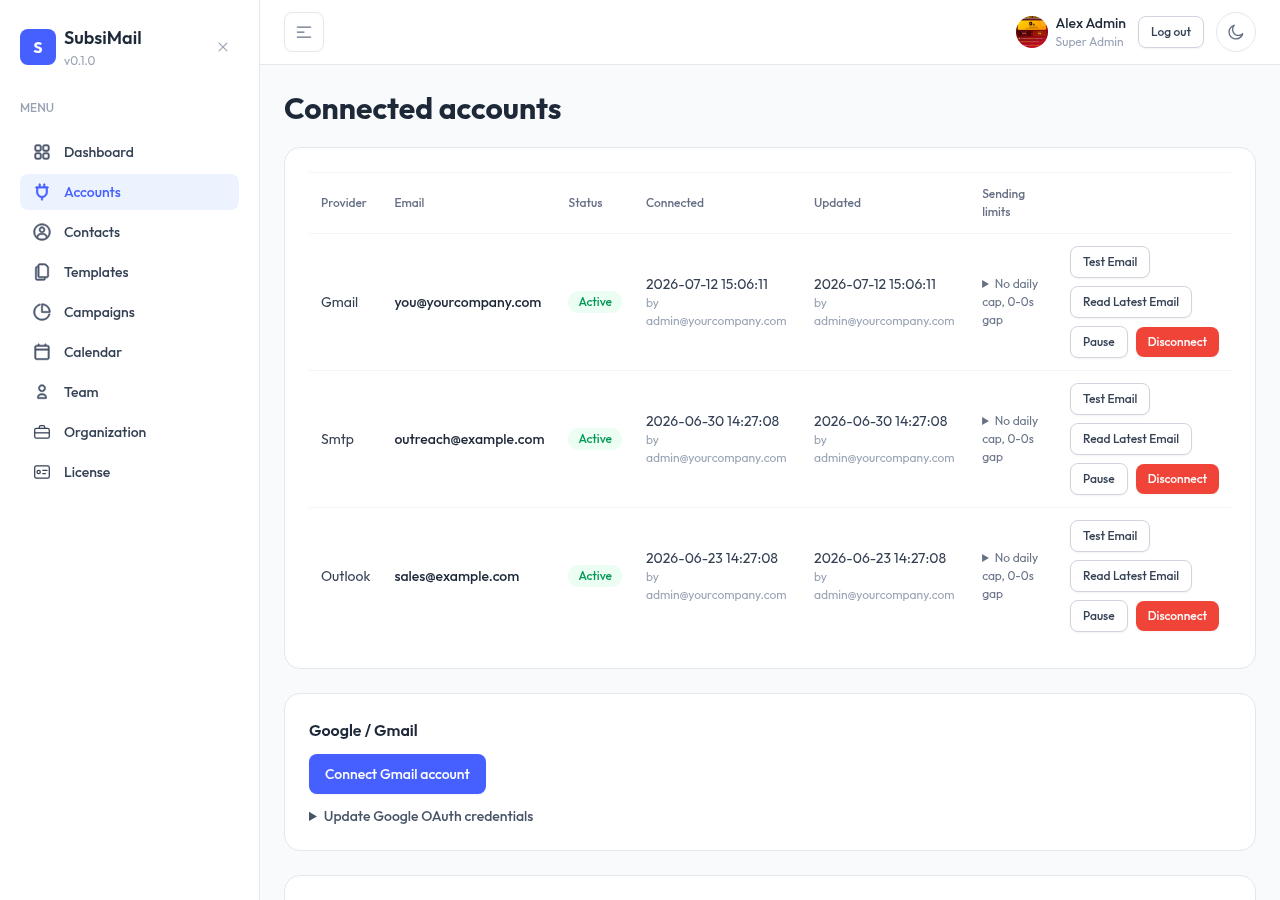
Every connected account — Gmail, Outlook, or SMTP — shows up as a row on the Accounts page with the same set of controls, regardless of provider.
New in 8: mailboxes belong to a workspace and are never shared between workspaces. Switch workspace to see another client's mailboxes.
Sending limits
Click Edit limits on an account row to open its sending-limits dialog. Every field defaults to a sensible non-empty value (500/day, 10–30 emails every 15 minutes, 9 AM–5 PM) rather than starting blank:
- Timezone — this mailbox's own timezone, from the full list of real IANA zones (with each one's current UTC offset shown, e.g. Asia/Kolkata (UTC+05:30)). It's independent of any campaign's own schedule — a campaign using this account in a different timezone still works, SubsiMail just flags the mismatch as a heads-up on that campaign.
- Sending hours — the window (shown AM/PM) inside which this account is allowed to send at all, in its own timezone above.
- Max emails/day — a hard daily cap, checked against that timezone's own calendar day.
- Send N to M emails every X minutes — inside the sending window, every X minutes SubsiMail picks a random count between N and M and sends that many of whatever's due. If more than one campaign is using the account at the same time, that count is shared fairly between them rather than the first campaign draining it.
Switch to Auto-calculate from max/day and SubsiMail works out N/M/X for you from your daily target and sending window — either way, a live note under the fields tells you whether your current settings can actually reach your daily max, or would leave some of it unused, so you're not doing that math yourself.
Test email & read latest
Two one-off checks live on each account row, useful right after connecting:
- Test email — sends a real message through that account to an address you choose, to confirm sending actually works end-to-end
- Read latest — fetches the most recent inbox message, to confirm the read/reply-detection side of the connection works too
Pause, resume, disconnect
| Pause | Stops new sends from this account. Any campaigns actively using it are paused too, and can be resumed once you resume the account. |
| Resume | Reactivates a paused account. Campaigns paused by that pause aren't automatically restarted — resume them individually. |
| Disconnect | Fully removes the connection and pauses any active campaigns using it. Reconnecting later (same email address) picks up the same account record rather than creating a duplicate. |
Automatic pausing on provider errors
Regardless of your configured daily limit, SubsiMail pauses an account the moment a send attempt looks like an account-wide problem rather than one bad recipient (an invalid address or a full mailbox still just bounces that one contact, same as always):
- A response that looks like the provider blocking the mailbox for sending too much (a rate limit, a quota message, "too many emails", and similar) pauses sending and shows a note explaining that — this kind of pause clears on its own once the account's own local calendar day changes, no action needed.
- Anything else account-wide (bad credentials, connection refused, and similar) pauses sending and shows the actual error text from the provider, so you know exactly what to fix.
Resume works the same way for both, any time, whether or not it would have cleared on its own.
Reconnecting an SMTP account
If an SMTP/IMAP account was disconnected (say, after a credential change broke it), reconnecting it just flips its status back to active — it doesn't re-verify the stored credentials. If those credentials are now stale (a rotated password, for example), update them via Connect via SMTP/IMAP again rather than the plain reconnect action, so the new credentials actually get tested and saved.
Free tier & account limits
Your first connected account is free forever. Every account beyond that counts against the limit in your license. Trying to connect past your limit is blocked at connect time, not just enforced retroactively at send time.