Roles explained
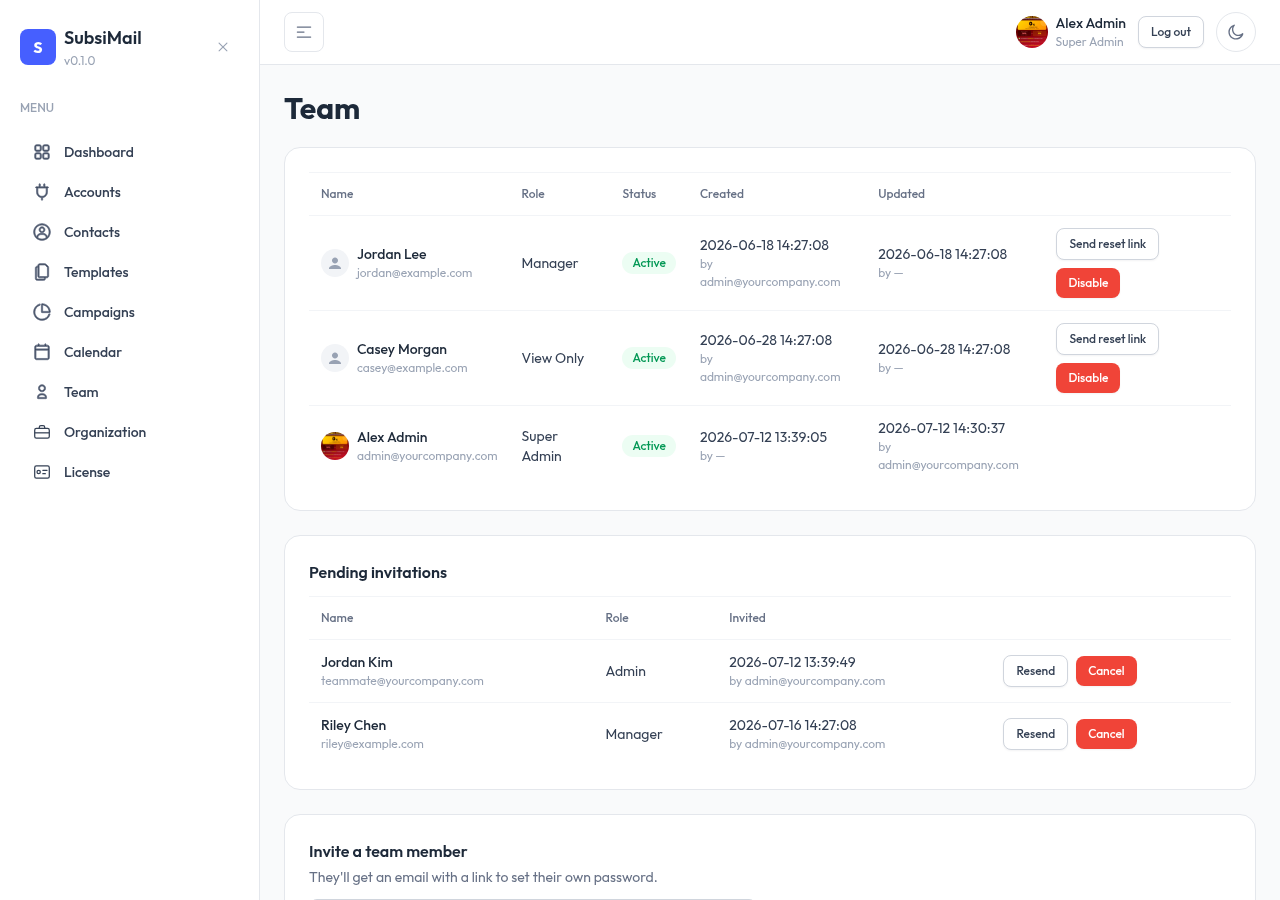
Four fixed roles, in order from most to least privileged:
New in 8: roles are set per workspace. The same person can be an admin in one workspace and view-only in another; a super admin has every workspace. Admins can only give access to workspaces they administer. See Workspaces.
The four roles
| Super Admin | Full access to everything, including creating/managing Admins. Exactly one per install. |
| Admin | Full access to campaigns, contacts, accounts, and org settings. Can invite Managers and View Only users. |
| Manager | Can create and run campaigns, manage contacts and connected accounts. Cannot manage users or org settings. |
| View Only | Read-only access across the app — no creating, editing, or sending. |
Who can manage whom
A role can only create or manage roles strictly below it:
- Super Admin → can create Admins, Managers, View Only
- Admin → can create Managers, View Only
- Manager and View Only → can't create any users
Why super admin is special
The super admin account is created once, during first-run setup, and can never be created again through the app. Nothing outranks it, so there's no in-app way to reset it if access is lost — recovery is a command run directly on the server. Keep its credentials safe.
Recovering a lost super admin password
Run reset-super-admin with a new password, against the same instance — the same recovery pattern tools like Django, Nextcloud, and Ghost use for their own top-level admin:
docker compose run --rm subsimail reset-super-admin 'your-new-password'On a Linux binary / Windows .exe install, stop the running process first, then run it from the same folder:
./subsimail reset-super-admin 'your-new-password'It sets the new password, re-enables the account if it was disabled, and signs out every existing session for it — more detail in the FAQ.