Call tasks
Cold outreach often works best as a mix of emails and phone calls. A call task is a step in a sequence that reminds a person to phone the contact. SubsiMail never dials anything itself: when the step is due it sends no email and puts a task on the Calls page.
Adding a call step
On a campaign's Sequence tab choose + Add a call task. Write your notes or script in the box (merge fields such as the first name and company are filled in for each contact) and set how long to wait after the previous step. A call task cannot be the first step. When it comes due, the next step's wait counts from that moment, and step conditions (opened, clicked, and so on) apply to call steps like any other.
The Calls page
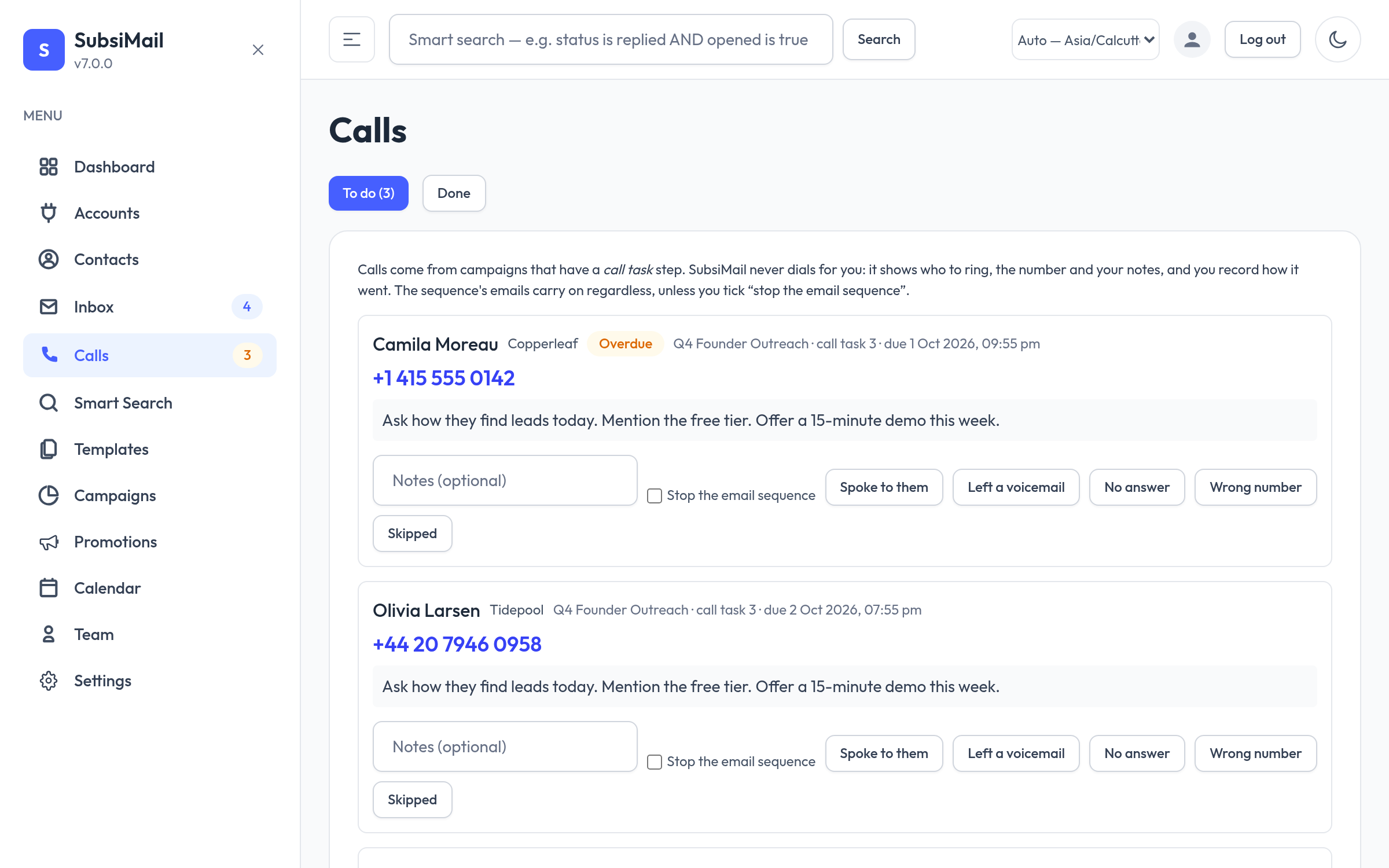
Open Calls in the sidebar (a badge shows how many are waiting). Each task shows the contact and company, a tap-to-call number taken from the contact's Phone field, your notes with their details filled in, and an overdue flag after a day. Add notes, then record the result with one of Spoke to them, Left a voicemail, No answer, Wrong number or Skipped. Tick Stop the email sequence to end that contact's emails after a call. Tasks only appear for campaigns you can see.
History
The Done tab keeps the log, and each contact's page shows a Phone calls card with their call history.
API and rotation
Call steps are copied to every mailbox in a rotation group and can be created through the REST API with "kind": "call" (see the reference). Promotions do not support call steps.