Mailbox rotation
Rotation sends one campaign from several mailboxes at once, so no single mailbox or domain carries the whole load. Each mailbox keeps its own daily limit, warm-up and bounce protection; a rotation just spreads the contacts across them.
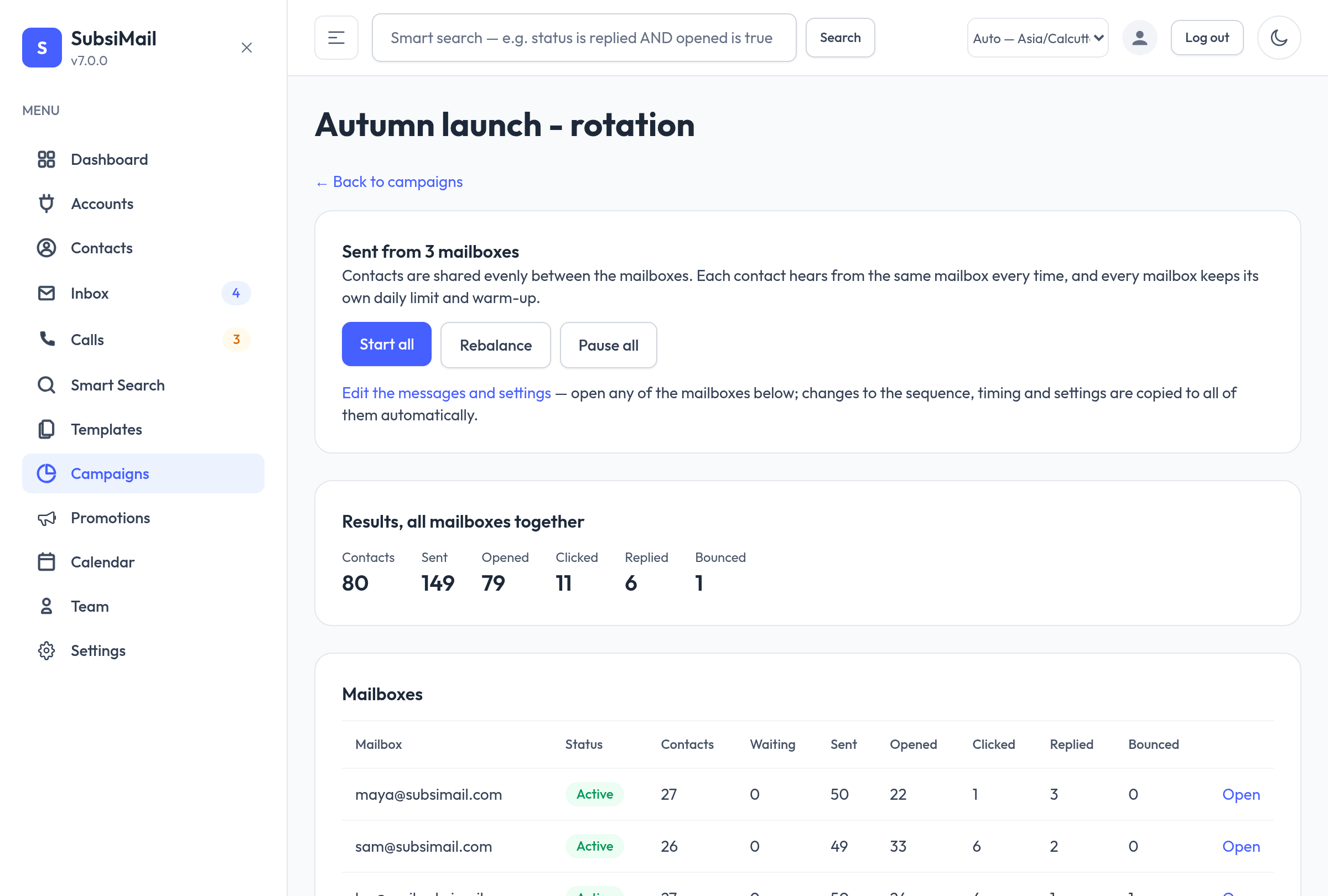
Creating a rotation
- Go to Campaigns → New campaign, pick the first mailbox and tick Send from more mailboxes (rotation) for the others.
- SubsiMail creates one ordinary draft campaign per mailbox (named “Name · mailbox”) and groups them. With only one mailbox ticked you get a normal campaign, unchanged.
- Open the group (the campaign list shows “Rotation: …” under each one) and use Add contacts to choose lists.
The group page
The page shows combined results for all mailboxes and one row each with its status, contacts, waiting, sent, opened, clicked, replied and bounced. Contacts you add are shared out evenly, always to the least-loaded mailbox, and nobody is placed in two. Each person hears from the same mailbox for every step, so follow-ups stay in the same thread.
Editing
Edit the messages, timing, calendar or settings on any one of the mailboxes' campaign pages (or through the REST API) and the change is copied to the others — last edit wins. Name, mailbox, status, contacts, schedule start and bounce-protection state stay separate for each mailbox.
Start, pause, rebalance
- Start all / Pause all act on every mailbox. A mailbox that cannot start (no message, no contacts, paused by bounce protection) is skipped and named.
- Rebalance levels the mailboxes by moving people who have not been emailed yet.
- Move waiting contacts away empties a mailbox you are retiring. People already part-way through a sequence never move.
- A scheduled start (“send later”) is set on each mailbox's own campaign page.
Limits and your plan
A rotation group counts as one campaign against your plan's campaign limit, while each mailbox still counts as a connected mailbox. A mailbox beyond your plan's limit is paused by the license check as usual.
Rotation shines for larger sends. Pair it with bounce protection and a verified list (see email verification) so every mailbox stays healthy.