Viewing a contact
Click any contact from the Contacts list to open their detail page — their profile, every list they belong to, and their full history across every campaign they've been enrolled in.
Profile & lists
The page opens as a read-only summary of everything on file for the contact (empty fields are hidden). Press Edit to open the full form with every built-in and custom field, then Save (or Cancel to discard). Sync from email fetches this contact's emails from your connected mailboxes right away, and an Email check box explains whether the address looks deliverable (see Email verification).
The top of the page shows the contact's name, email, company, and every custom field value on file for them, plus which lists they currently belong to.
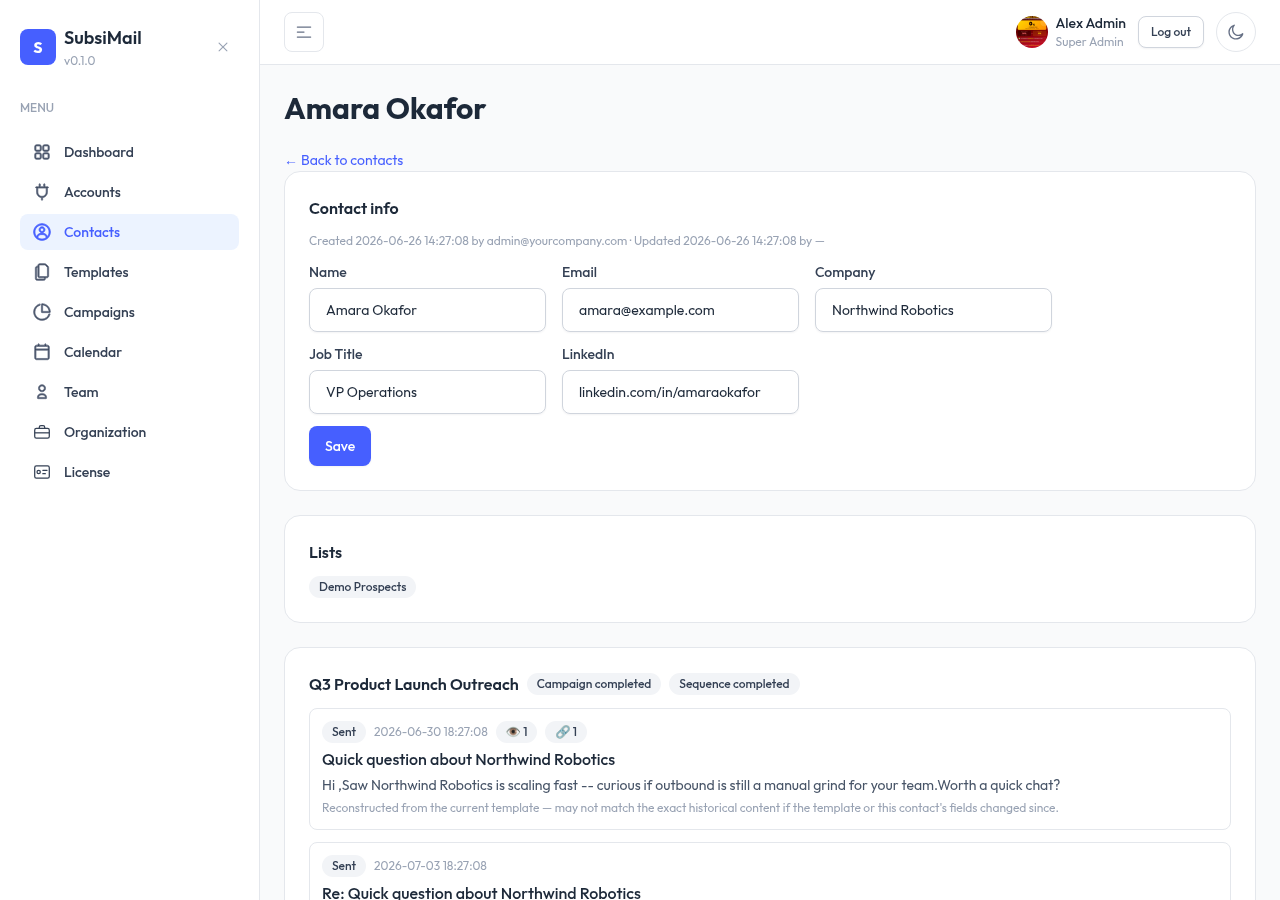
Campaign thread history
Below the profile, every campaign this contact has been enrolled in shows as its own thread — each automated step that's gone out, reconstructed from the campaign's step templates rendered against this contact's actual data (there's no separate historical copy stored; what you see is the real template re-rendered with their current field values). This gives you the full conversation exactly as the contact would see it in their inbox, thread and all.
Replying manually
The reply box is a rich-text editor and keeps the thread's subject, so there is no subject field. For conversations that are not part of a campaign, use the inbox.
At the bottom of a campaign thread, you can write and send a manual reply directly into that same conversation — useful when a contact responds somewhere you're tracking outside SubsiMail, or you just want to follow up by hand without waiting for the next automated step.
A manual reply threads correctly (same In-Reply-To/References headers as an automated step) because it reuses the same thread the sequence already started. That means at least one automated step has to have actually sent to this contact in this campaign first — there's no thread to reply into otherwise.