Managing team members
Once someone's on the team, admins and the super admin have a few more actions available on the Users page beyond just inviting.
New in 8: the Team page has an Access view to set each person's role per workspace, and you can remove someone from one workspace, pause them (blocks sign-in everywhere until re-enabled), archive them (hidden, email free to reuse, optional hand-over of what they created) or change their sign-in email. Pause, archive and email changes are for admins and super admins.
Disable / enable
Disabling a user blocks their login immediately without deleting their account or any of the data they created (campaigns, contacts, etc. stay attributed to them). Use this over deleting when someone leaves the team — you keep the audit trail of who did what, you just remove their access. Re-enable them the same way if needed.
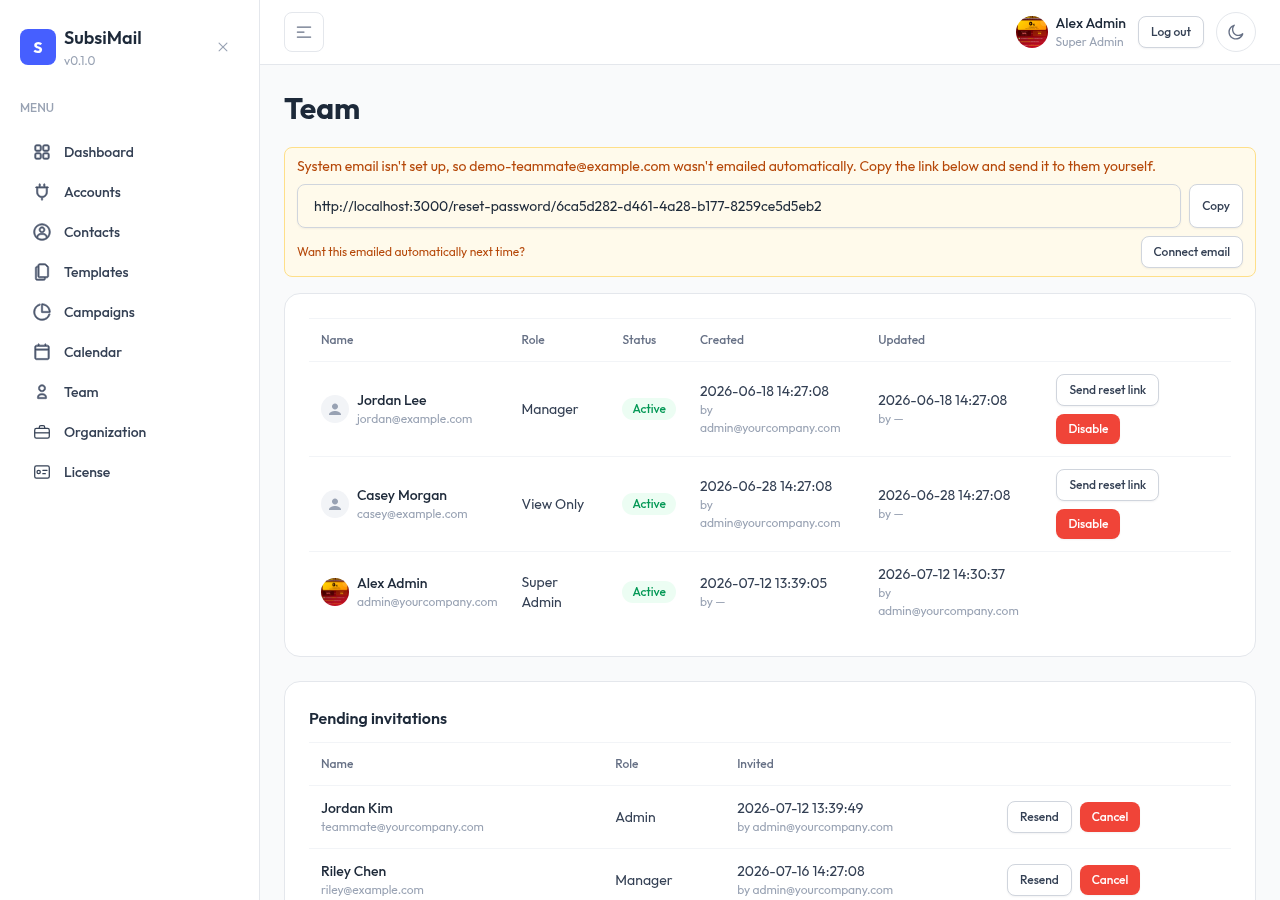
Reset a teammate's password
Admins and the super admin can force a password reset for anyone below them in the role hierarchy — useful if someone's locked out and forgot-password isn't an option (no system email configured, for example). This generates a reset link the same way an invite does.
Resend or cancel a pending invite
An invite that hasn't been accepted yet can be resent (generates and delivers a fresh link, useful if the original expired or got lost) or cancelled outright (removes the pending invite so that email/role slot is free again) from the Pending invites list on the Users page.