What's new in 7
SubsiMail 7 turns the sending tool into a place you can also work the replies, and adds several protections for your sender reputation. Everything below works the same on Docker, the Linux binary and the Windows .exe, and every part is optional.
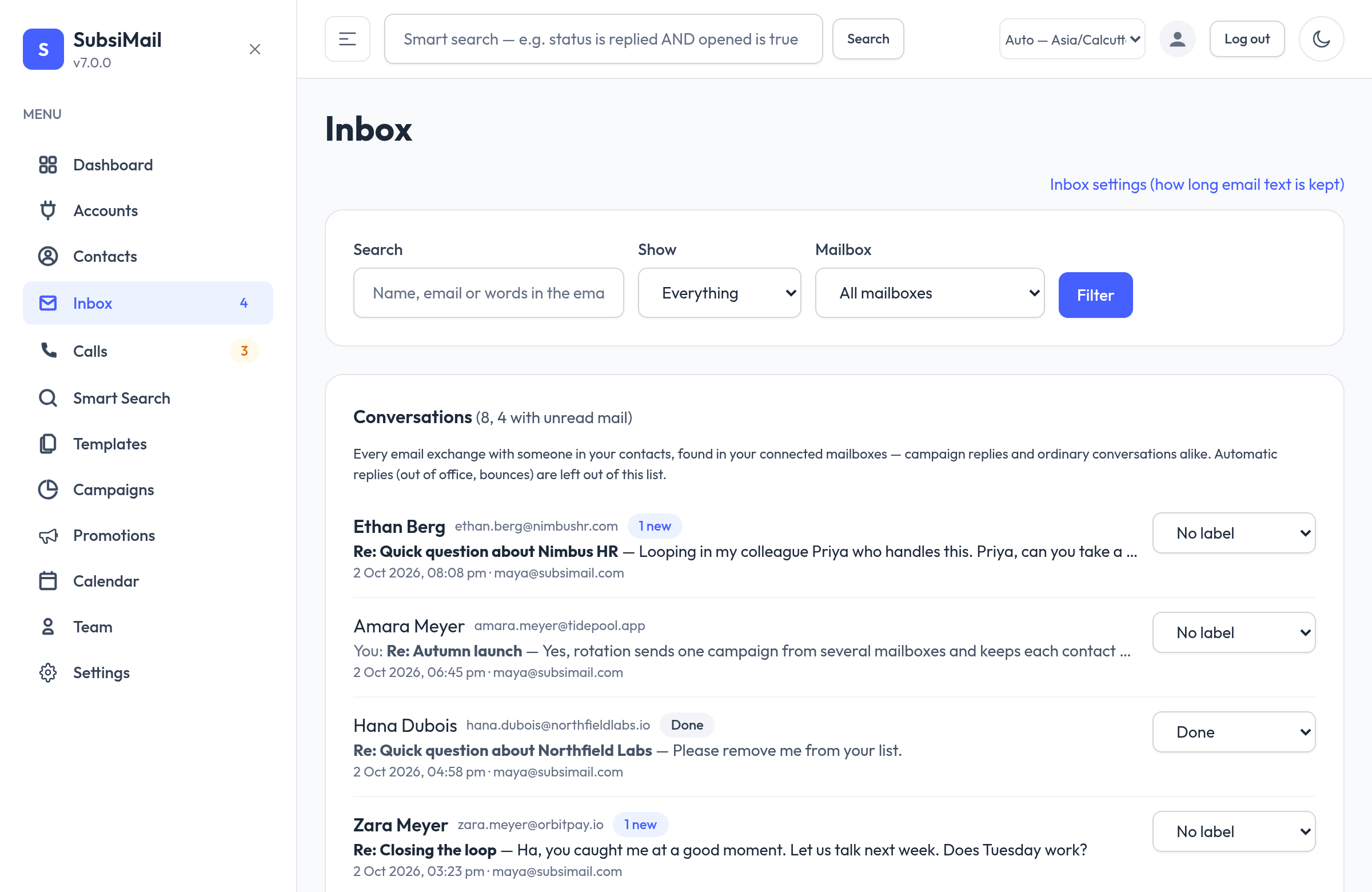
Unified inbox
One page for every email exchange with someone in your contacts — campaign replies and ordinary conversations alike, across all your connected mailboxes. Read, label and answer without leaving SubsiMail, with a rich-text reply editor, threading done properly, and an instant on-screen alert when a new email arrives. Read more →
Mailbox rotation
Send one campaign from several mailboxes. Contacts are dealt out evenly, each person hears from the same mailbox every time so threads stay together, and edits to the messages or settings are copied to every mailbox. A rotation group counts as one campaign against your plan. Read more →
Email verification
A free basic check runs automatically on every contact (is the domain real, is it a throwaway-inbox service, is it a shared inbox like info@). For deeper checks connect your own ZeroBounce or MillionVerifier account. Campaigns skip addresses that are certainly bad. Read more →
AI drafts, with your own key
Connect your own Claude (Anthropic) key or any OpenAI-compatible service and SubsiMail can draft inbox replies and sequence emails for you. A person always reads and presses Send; nothing is sent automatically, and there is no markup on what your AI provider charges. Read more →
Call tasks
A sequence can include a phone-call step. When it is due SubsiMail queues it on the new Calls page with a tap-to-call number and your notes, and records how the call went. Read more →
Domain health
The dashboard now shows SPF, DMARC and DKIM checks for every domain you send from, with plain-language fixes. Read more →
Smaller things
- Live alerts: a small notification appears on any page when a new email arrives; clicking it opens that conversation.
- Slack: a webhook pointed at a Slack incoming-webhook address posts a readable message (see Webhooks).
- Contact page: opens as a read-only summary; one Edit button reveals every field. A Sync from email button fetches that contact's emails right now.
- Rich-text replies on both the inbox and the contact page, with no subject box — a reply keeps the thread's subject.
- Mailbox scan every minute (it used to be every five), so replies show up sooner.
- REST API: sequence steps have a
kind(emailorcall); see the reference.
Upgrading from 6.0.x
Upgrade the usual way (docker compose pull then up -d, or replace the binary — see Updating safely). Nothing to export and nothing to reinstall; your data is kept and a few new database migrations run on first start.
Three things change on their own after upgrading:
- Every contact gets the free basic email check in the background. Contacts that fail it (the domain does not exist, a throwaway-inbox service, a malformed address) are skipped by running campaigns from then on. They are not deleted. To turn this off, go to Settings → Email verification and choose Never skip anyone.
- SubsiMail now stores the full text of emails with people in your contacts, found in your connected mailboxes. Old text can be deleted automatically (Inbox → Inbox settings). Emails that involve nobody in your contacts are never downloaded or stored.
- The sidebar has two new entries, Inbox and Calls.
Older versions show an “outdated” notice with a link to the changelog and stop sending until you update. Your data and access are never touched.