Event drill-down
Every number on the dashboard is a link into the real, per-contact detail behind it — nothing on the dashboard is a black-box aggregate.
Click any number
Click a campaign's Sent, Opened, Clicked, Replied, Bounced, or Failed count and you land on that exact list, filtered to that campaign, that event type, and whatever date range the dashboard had set.
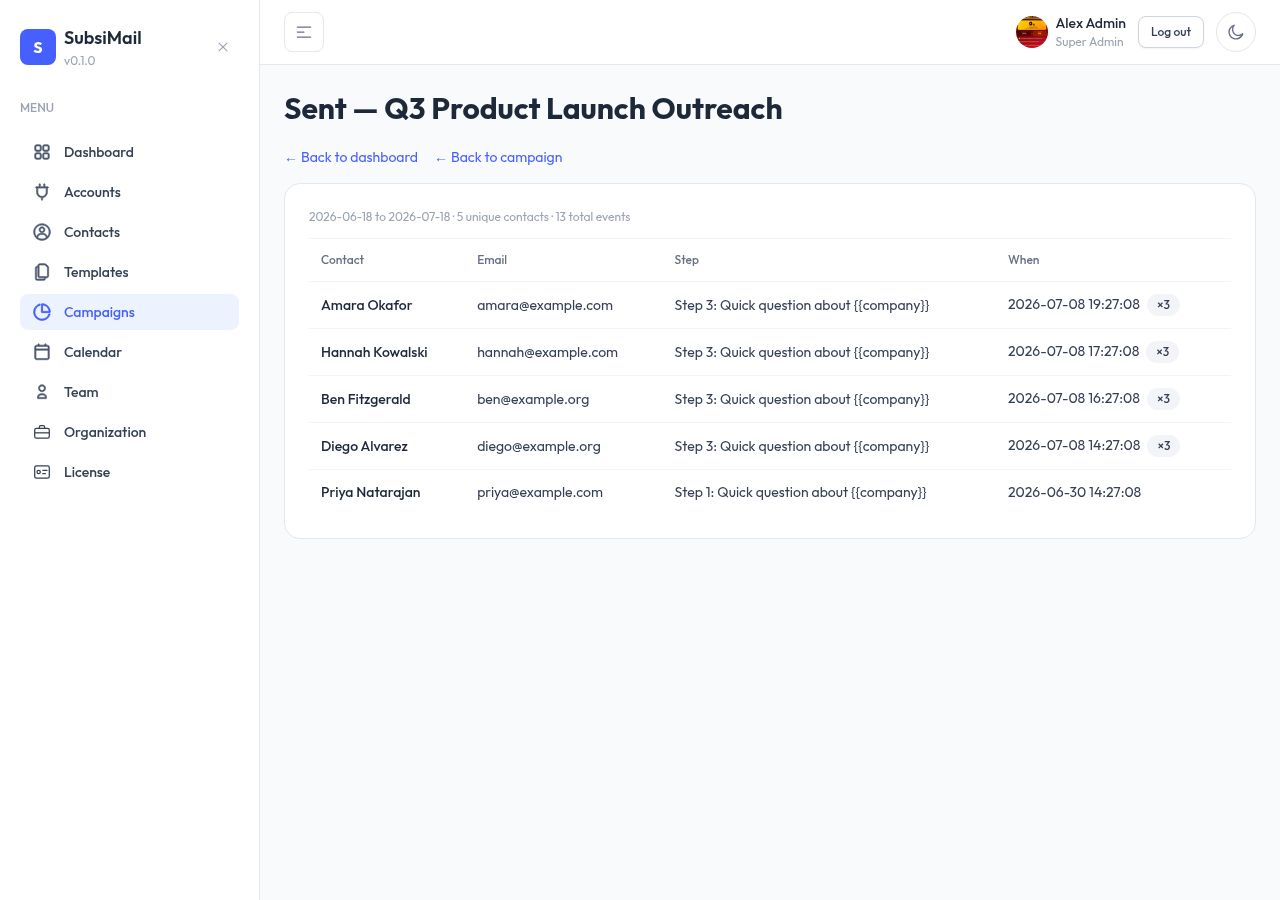
What you see
One row per contact, with:
- Contact name and email
- Which step triggered it, and that step's subject
- Timestamp of their most recent matching event
- How many times it happened — repeat opens/clicks by the same contact collapse into one row with a count, rather than flooding the list with duplicates
- For clicks specifically, which URL they clicked
This is the same underlying event log a campaign's own Events tab shows — the dashboard's drill-down and a campaign's event history are two views onto identical data.