Email verification
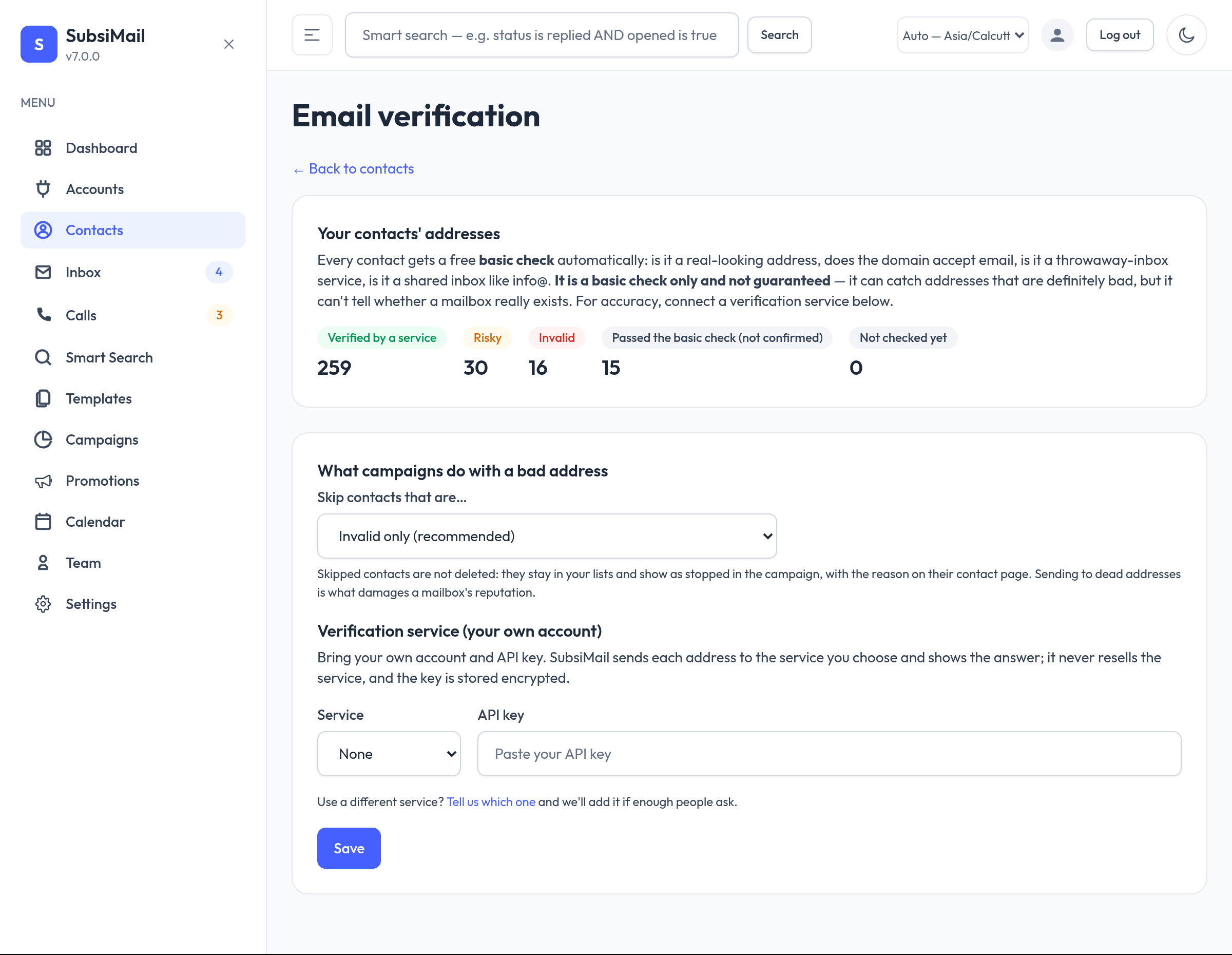
Sending to addresses that bounce is the fastest way to damage a mailbox's reputation. SubsiMail checks every contact for you and can skip the ones that are certainly bad. Find it under Settings → Email verification (admins).
The basic check (free, automatic)
Every contact — added by hand, imported, created through the API, or existing when you upgrade — is checked in the background: is it a real-looking address, does the domain accept email, is it a throwaway-inbox service, is it a shared inbox such as info@. Changing a contact's email re-checks it.
It is a basic check only and not guaranteed. It can prove an address is bad but can never prove a mailbox exists, so it never labels an address “verified”.
Statuses
- Invalid — certainly undeliverable (no such domain, malformed, a service says so).
- Risky — may bounce or hurt you (shared inbox, catch-all domain, throwaway service).
- Verified — confirmed by a verification service.
- Passed the basic check (not confirmed) and Not checked yet.
The Contacts list shows these as badges and can be filtered by them; each contact page explains the reason.
What campaigns do
By default a running campaign skips Invalid contacts (they show as stopped, with the reason). You can also skip Risky, or choose Never skip anyone. Skipped contacts are never deleted, and an unchecked contact is never skipped.
Verification services (your own account)
For stronger checks connect ZeroBounce or MillionVerifier with your own API key (stored encrypted). Choose a list or all contacts, press Check the cost, tick the confirmation and start. It runs in the background with progress and a Cancel button. It uses one credit per address, and anyone already checked by that service in the last 90 days is not charged again. A wrong key or empty credits stops the run at once. You pay the service directly; SubsiMail adds nothing. Need another service? Use the “Tell us which one” link on the page.
Good to know
- DNS lookups use the machine's normal DNS settings.
- For very large lists, one-address-at-a-time service calls are slow; start with a list at a time.