AI drafts
SubsiMail can draft emails for you with your own AI account. You pay your AI provider directly — SubsiMail adds no markup — and the AI only drafts: a human always reads, edits and presses Send. Nothing is ever sent automatically.
Setting it up
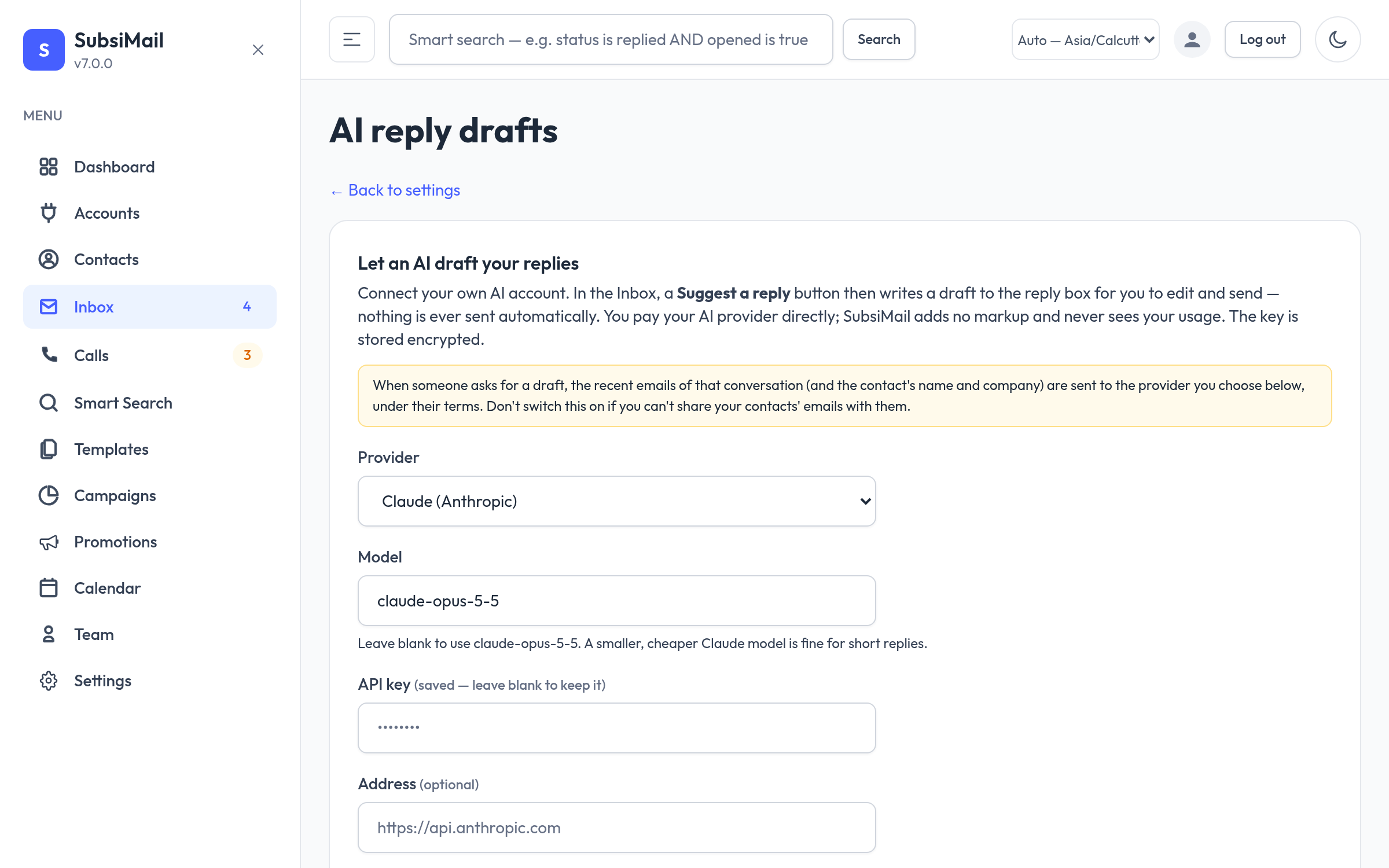
Go to Settings → AI reply drafts (admins). Choose a provider:
- Claude (Anthropic) — paste your Anthropic API key. The model can be left blank for a sensible default; a cheaper model is fine for short replies.
- OpenAI-compatible — OpenAI, Groq, OpenRouter, DeepSeek, Mistral or a local Ollama: paste the key and set the service's base address.
The key is stored encrypted. Add a few lines about your company and tone, then press Test the connection. Switching the provider off deletes the stored key.
Suggest a reply
In an inbox conversation (and on a contact's campaign reply form), Suggest a reply writes a draft straight into the editor. Optionally type what it should say first, for example “offer a call on Tuesday”. Check it, change what you like, then send. A small tip in the corner of every rich-text editor links here when AI is not set up yet.
Write with AI
In a campaign's Add message window, describe the email in a sentence. The AI drafts the subject (for the first email) and body, or a follow-up that knows the earlier emails, using personalisation tags such as the first name. Nothing is saved until you press Add message.
Privacy and safety
- When you ask for a draft, the recent emails of that conversation, and the contact's name and company, are sent to the provider you chose, under their terms. At no other time does email text leave your server.
- The AI is told to treat email text as material, not instructions, never to invent facts, prices or dates, and to leave
[bracketed placeholders]where it does not know something. - Any person who can see a contact can ask for a draft using your key and credits. There is no usage counter inside SubsiMail; your provider's dashboard shows usage.