Unified inbox
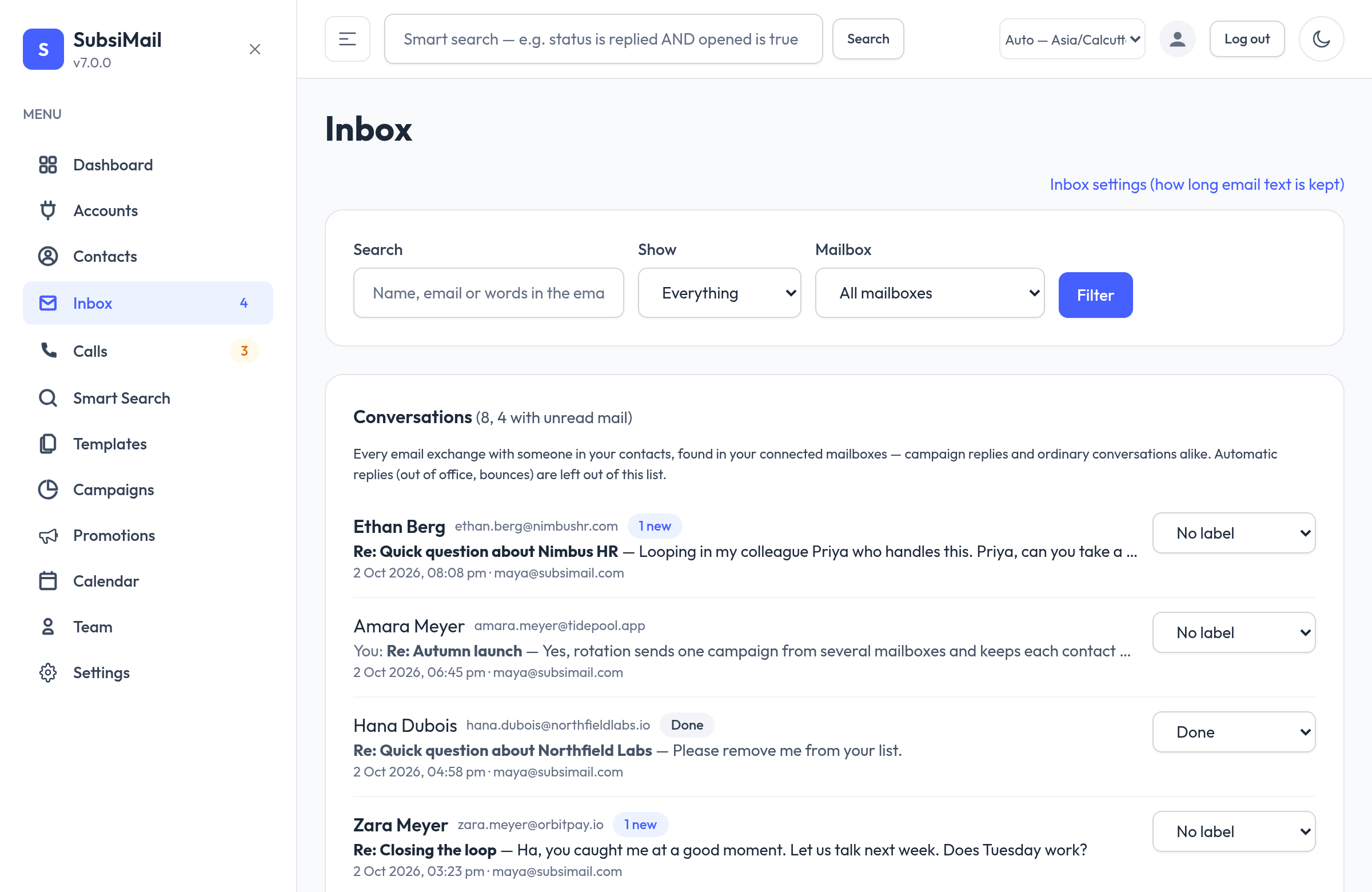
The inbox shows every email exchange with someone in your contacts — campaign replies and ordinary conversations alike — across all your connected mailboxes, so you can read and answer them in one place. It is not a full mail client: there are no folders, no compose-to-strangers and no attachments (their names are shown).
What is stored
SubsiMail keeps any email in a connected mailbox that has a contact's address in From, To or Cc. Emails that involve nobody in your contacts are skipped and never downloaded in full. Out-of-office replies and bounce notices are left out of the inbox list (they still appear inside the conversation). The same email arriving in two of your mailboxes is shown once.
Where mail comes from
- SMTP / IMAP mailboxes — the inbox and the Sent folder are read automatically every minute. Mail you sent from your own mail client appears as “You sent”.
- Gmail and Outlook mailboxes — read through their own APIs on the same schedule. The first read looks back 7 days; for older mail from one contact use Sync from email (below).
- Bcc: a recipient never sees Bcc on the mail they receive, so a Bcc'd contact is matched on your sent copies only.
The list
One row per contact with the newest message, an “N new” badge for unread mail, the mailbox it came in on and a label menu. Filter by unread, label or mailbox, or search names, addresses and words inside the emails. The sidebar's Inbox entry shows how many conversations need attention.
A conversation
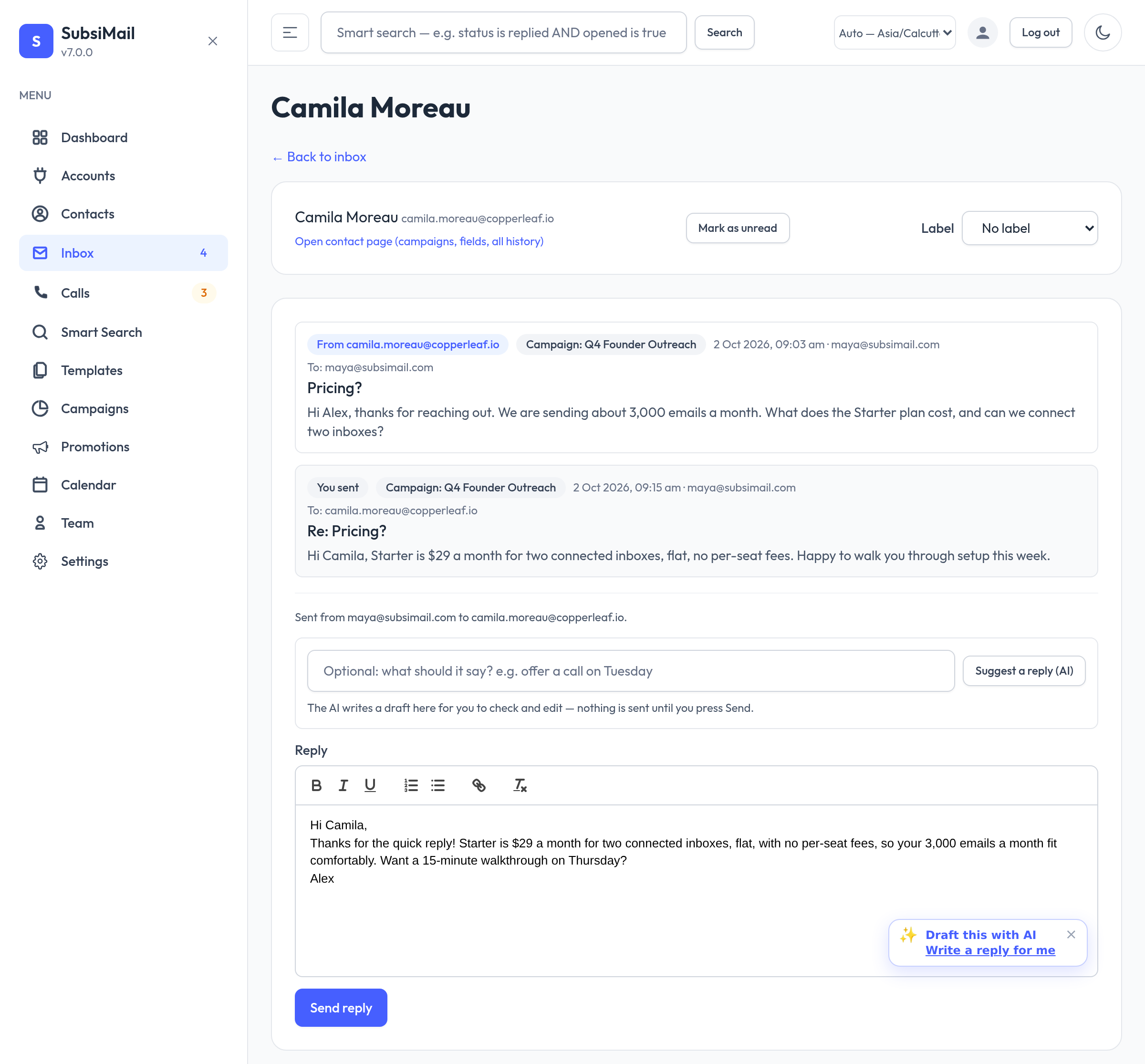
Opening a contact shows the whole exchange in order. At the top you can set a label — Interested, Not interested, Follow up or Done — and Mark as unread. A new message from the contact arrives unlabeled, so a conversation you marked Done stands out again when they write back. Show formatted email displays an email as it looked, in a locked-down frame: no scripts run and no pictures load from the internet (which also stops senders learning that you opened it).
Replying
Write your answer in the rich-text editor (bold, italic, underline, lists and links) and press Send reply. It goes out from the mailbox the contact last wrote to, with the correct threading headers so it stays in the same thread, and it is saved in the conversation. There is no subject box: a reply keeps the conversation's subject. If you have set up AI drafts, a Suggest a reply button writes a draft into the editor for you to check and edit first.
Live alerts
While SubsiMail is open in your browser, a small notification appears in the bottom-right corner of any page when a new email arrives. Click it to open that contact's conversation (if several arrive at once it says “N new emails” and opens the inbox). The sidebar badge updates at the same moment and, if you are looking at the inbox list, the list refreshes by itself. Mailboxes are checked every minute, so an alert shows up within about a minute of the email arriving.
Sync from email
Open any contact and press Sync from email to search your connected mailboxes for that person's emails right now, without waiting for the automatic check. SubsiMail reports how many mailboxes it checked and how many new emails it found.
Privacy and retention
Email text is stored in your own database, on your own server, and is never sent to us. Inbox → Inbox settings (admins) sets how many days the text is kept (0 = forever). After that the text is deleted from SubsiMail; the sender, subject, date and a short preview stay. Your mailboxes themselves are never changed or emptied. Access follows the same sharing rules as contacts: you only see conversations with contacts you can see.
You can also open the inbox list to a single contact with the “Open contact page” link in a conversation, which shows their campaigns, fields and full history.